Most people who ask me how to open an online store are already stuck, and stuck on step three. They have a product, they have paid for a platform, and they are comparing domain registrars for the fourth evening in a row. The sequence was wrong, so every decision got more expensive than it needed to be.
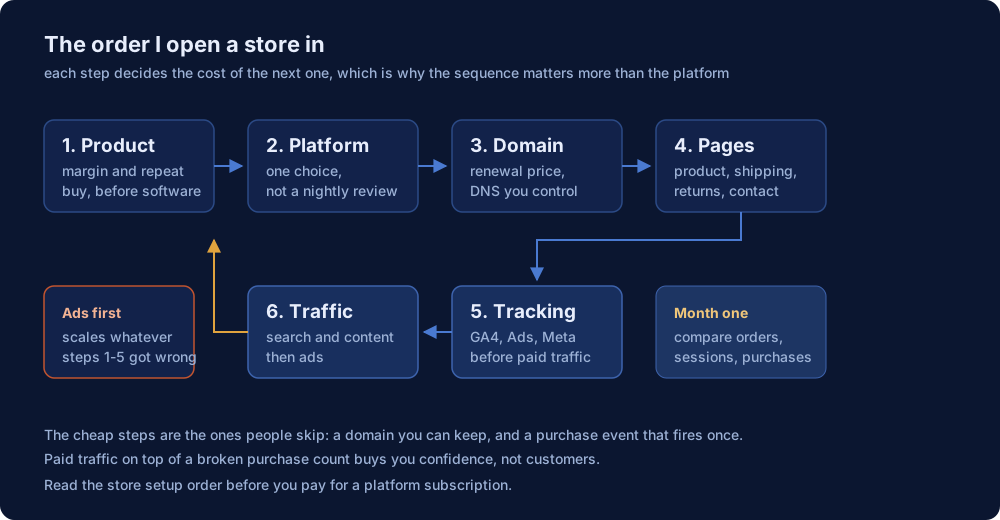
I have set up stores, audited the tracking under other people's stores, and coached beginners through their first one. The order below is the same every time. Each step decides the cost of the next, which is why I start with the two cheapest decisions and end with the most expensive one.
The order matters more than the platform
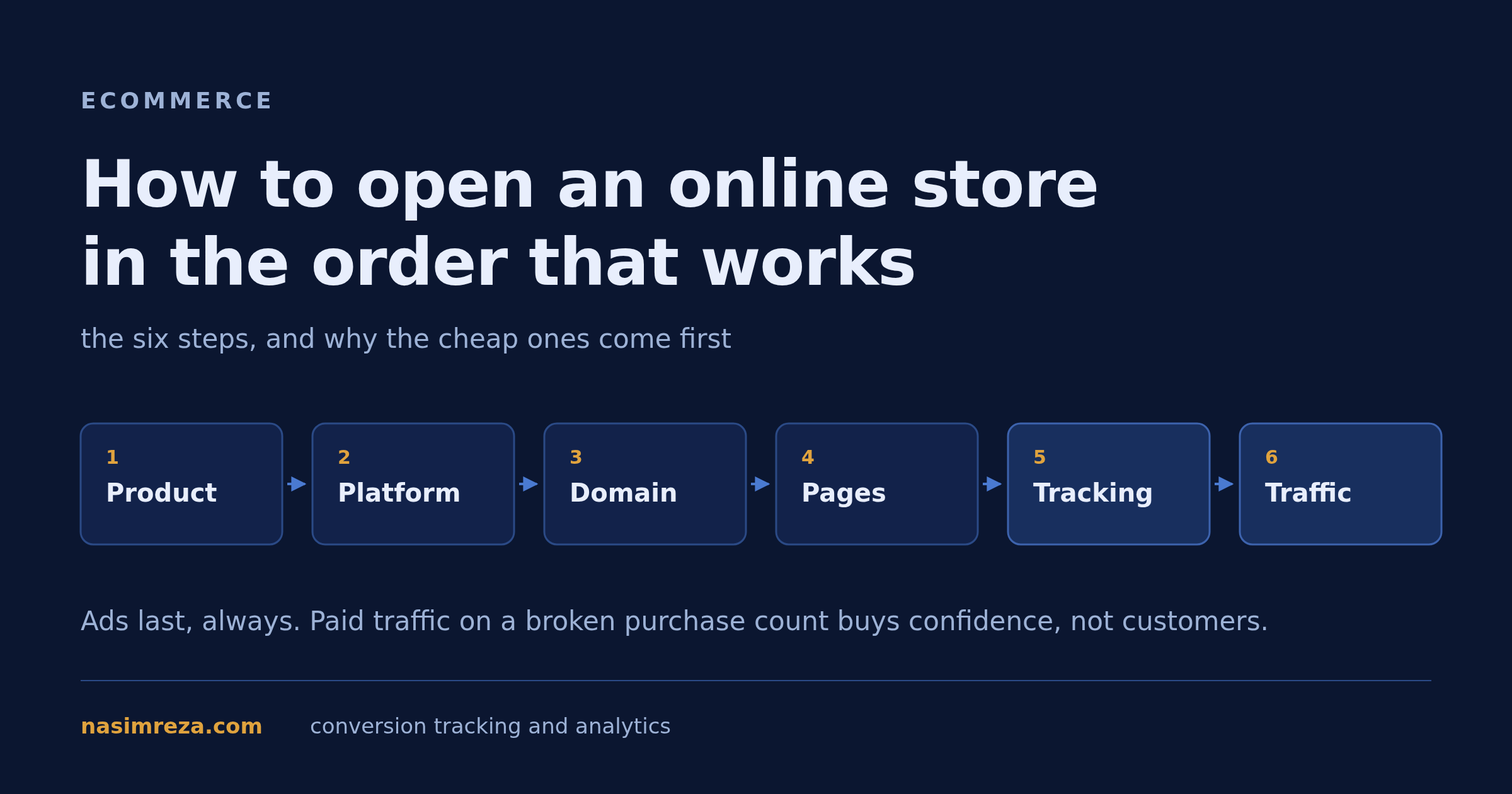
Six steps, and a rough cost of getting each one wrong. The costs are the reason for the sequence.
| Step | Decision | Time it takes | Cost of getting it wrong |
|---|---|---|---|
| 1. Product | What you sell, at what margin, to whom | A week of research | Every later step is built on a product that cannot pay for ads |
| 2. Platform | Shopify, WooCommerce, or a builder | An afternoon | A migration in month six, which costs a week and every URL you earned |
| 3. Domain | Registrar and the name itself | An hour | Renewal surprises, DNS you cannot control, a painful transfer |
| 4. Pages | Product pages, shipping, returns, contact | Two or three days | Traffic that lands and leaves, plus chargebacks you cannot defend |
| 5. Tracking | GA4, Google Ads, Meta pixel and CAPI | Half a day if it is clean | Ads optimising on purchases that never happened |
| 6. Traffic | Search, content, then paid | Ongoing | Money spent to learn what step one should have told you |
Step 1: decide what you sell, and what margin it leaves
Before software, before a logo, work out what a single sale leaves you after the product, shipping, payment fees, refunds and returns. If that number is under about 25 percent of the selling price, ads will not work and you will spend months finding out.
The filter I use is boring: can a buyer get this locally or on Amazon in two days at a similar price? If yes, you need a real reason for them to wait. A niche gets validated by repeat purchase and unit economics, not by how interesting it looks on a supplier page. I wrote about three niches that actually hold up in three popular dropshipping niches, and the same test applies whether you hold stock or not.
Step 2: pick the platform once
Platform choice is where beginners lose the most time, because the comparison is easy to make and the decision is hard. Twenty minutes is enough if you ask two questions: does it handle the checkout I need, and can I move off it later without losing my URLs.
Shopify if you want the checkout, the apps and the support to be someone else's problem. WooCommerce if you already run WordPress and want control of the code. A site builder if you are selling fewer than twenty products and speed to launch beats flexibility. I put the honest trade-offs side by side in three best platforms to build an ecommerce website, including the cost that never makes it into the spreadsheet.
For dropshipping specifically the question changes, because supplier and fulfilment integrations matter more than themes. That comparison is in the five dropshipping platforms worth using, and the store setup sequence for a supplier-based store is in how to start a dropshipping business.
Step 3: register a domain you can keep
The domain is the cheapest step and the one people regret longest. Three things decide it: what the renewal costs in year two, whether you control the DNS records yourself, and how painful it is to leave. A first-year discount with a triple-price renewal is not a deal, it is a subscription you agreed to.
Buy the .com if it is available and the name still reads like words when spoken aloud. Skip the hyphen, skip the numbers, and do not buy five extensions in a panic. My comparison of domain providers for ecommerce has the renewal table, the DNS records a store actually needs, and the transfer trap that catches new owners.
One practical note: register the domain with the store, not with the Shopify account email you might change in a year. Every domain loss story I have heard starts with a forgotten login on a mailbox nobody reads.
Step 4: build the pages a buyer reads before paying
Product pages get all the attention and are rarely the reason for an abandoned cart. The pages that decide a sale are the dull ones: shipping times in plain language, a returns policy that fits your country's consumer law, a contact page with an actual way to reach you, and a privacy page that mentions the tools you really use.
Write the shipping page with numbers: cut-off time, dispatch window, delivery estimate, what happens when a parcel is late. Every support ticket you avoid is an hour you get back for product work. Then install the minimum app stack rather than fifteen subscriptions; the apps a new Shopify store actually needs is the list I would start from.
Step 5: put tracking in before the first ad
This is the step people leave until it is expensive. A purchase event that fires twice, or not at all, means your ad platform learns from a wrong number. Spend the half day now: one GA4 property, a purchase event with value and currency, Google Ads conversions with Enhanced Conversions, and the Meta pixel plus Conversions API deduplicated on event_id.
The order of work inside tracking has its own map. Conversion tracking for ecommerce is the page I hand clients first, and if you are on Shopify the data layer and purchase payload are covered in GA4 ecommerce tracking for Shopify. The test is always the same: place a real order with a card you own, then check that Shopify, GA4 and the ad platform agree on the order count by the next morning.
If all three do not agree, stop. Do not launch traffic on a stack you cannot verify, because you will spend the next month guessing which dashboard is lying.
Step 6: earn traffic before you rent it
Paid traffic is the last step, not the first. Before ads, a new store should have the technical basics right, because organic traffic is the only traffic that gets cheaper over time. Indexable collection pages, product titles people actually search for, internal links between related products, and a site that loads fast on a phone are the whole of it.
The routine is in SEO tips for a new Shopify store. First customers, without a budget, are a different problem and I covered the routes I have used in how to get more customers to a new store. Ads come after, when you know the purchase event is correct and the product page converts at some baseline.
What the first month should look like
Judge the store on ratios, not on revenue. Four numbers, checked in this order:
- Orders in Shopify versus purchases in GA4 versus purchases in the ad platform. Within about 10 percent, ideally much closer.
- Sessions to product page view. Below half is a traffic quality problem, not a design problem.
- Product page to checkout. This is where shipping cost and delivery time show up.
- Checkout to order. A big drop here is usually a payment method or a broken confirmation.
One store I audited was spending on ads with a purchase event on the thank-you page that never fired for wallet payments. The ads platform saw a third of the real orders for four months. The fix took twenty minutes; the money was gone.
The five mistakes that cost a year
- Buying a platform subscription before knowing the margin.
- Choosing a domain for the first-year price.
- Writing product pages before writing the shipping page.
- Launching ads with tracking that nobody has tested end to end.
- Changing platform in month three because of a review you read in week one.
What to read next
Each of these answers one step above, in the order you will need them:
- Three platforms to build an ecommerce website for the platform decision and its real upkeep cost.
- Five dropshipping platforms if suppliers fulfil your orders.
- Domain providers compared for renewal pricing and DNS control.
- The minimum app stack so the store stays fast.
- Beginner SEO for a new store for the traffic that compounds.
- Getting the first customers without an ad budget.
- Conversion tracking for ecommerce before you spend on ads.
- GA4 ecommerce tracking for Shopify for the data layer and the purchase payload.
Steps one to four you can do alone in a week. Step five is the one that decides whether the rest earns anything, and it is the work I do for clients: tracking packages start at $1,250 with a read-only audit first. If you only want to know whether your current setup is costing you sales, a $19 15-minute call usually answers it.