Conversion tracking on an ecommerce store fails in a boring, repeatable way. The pixels fire, the dashboard fills up, and the numbers disagree with Shopify by 20 percent. Nobody notices until a campaign gets scaled on a purchase count that never happened. I have fixed this on 303 jobs, and the order I fix it in has not changed in four years.
This page is the map for everything else I have written on tracking. If you only read one section, read the order of work below, because most stores spend money on the wrong layer first.
The order of work that actually holds
Every tracking rebuild I do runs in the same five steps. Skipping one of them is why a setup that looked fine in March is quietly wrong by June.
- One source of truth for the order. Shopify, WooCommerce or whatever the store runs on decides what a sale is. The ad platforms are downstream copies, never the reference.
- A data layer that pushes the same event names everywhere. If the theme pushes
addToCartand the app pushesadd_to_cart, you have two events and half the data. - GA4 as the hub, with ecommerce parameters on every event that carries money: value, currency, items, transaction_id.
- Server-side delivery for the platforms that spend real budget. Meta first, Google Ads second, TikTok and Pinterest only if the store actually runs them.
- A test routine that proves each event before a campaign depends on it. Not once at launch. Every time the theme changes.
The order matters because each step assumes the one before it is clean. A server-side container sitting on top of a broken data layer just moves wrong numbers faster.
The four setup routes, and who each one is for
| Route | What it is | Best for | Where it breaks |
|---|---|---|---|
| Native platform integration | Shopify or WooCommerce sends events straight to the ad platform | One store, one ad platform, standard funnel | Limited event control, no custom parameters, weak on COD and third-party checkouts |
| Web GTM only | Everything through the browser container | Content sites, lead forms, simple stores | Browser restrictions and consent eat 10 to 30 percent of purchase events |
| Server-side GTM | Your own tagging server receives the hit and forwards it | Several platforms, custom logic, first-party cookies | Needs hosting, monitoring and someone who reads the logs |
| Direct API build | Your backend calls the platform API itself | Custom stacks, CRM-driven lead flow, offline conversions | You own the payload, the retries and the schema changes |
Most stores I audit have two of these running at once by accident, which is worse than having only one. Two routes means duplicate purchases, and duplicate purchases mean the platform optimises toward a number that does not exist.
The five numbers that tell you it is broken
You do not need a formal audit to find the problem. These five comparisons find it in about ten minutes on most accounts.
- GA4 purchases against Shopify orders for the same seven days. A gap over five percent needs an explanation, not a shrug.
- Revenue, not just count. A purchase event with no value inflates the conversion rate and hides the revenue problem.
- Meta Events Manager: server and browser events for the same purchase, both visible with a shared event_id. One without the other means deduplication is not configured.
- Event Match Quality in Meta. Under 6 with a working checkout usually means customer parameters are missing, not that the pixel is old.
- Consent mode in GA4. If denied traffic is missing entirely instead of modelled, the tag is firing before consent, and your EU numbers are fiction.
What I would fix first on a store doing under 500 orders a month
Below that volume, server-side GTM is usually the wrong first purchase. The honest priority is a clean GA4 ecommerce install through one container, correct purchase value, and a native Meta integration with maximum data sharing. That covers most of the gap. Move to a server container when you run three or more platforms, when you need custom parameters, or when purchase events are being lost at a rate that costs more than the hosting.
I have watched stores buy a server-side setup, a consent tool and a dashboard subscription in the same month, then wonder why the numbers still disagree. The setup was never the bottleneck. The event definition was.
Where to go next, depending on your stack
These are the guides I send clients, in the order I send them.
- GA4 inside Google Tag Manager: the config tag, event naming and the five problems that break it.
- GA4 for Shopify: the data layer, the purchase payload and Checkout Extensibility.
- Accurate tracking across Meta, TikTok, Snapchat and Pinterest: why browser-only pixels miss sales.
- Meta Conversions API with GTM: the payload, event_id deduplication and Event Match Quality.
- Google Ads conversion tracking, then the purchase event specifically.
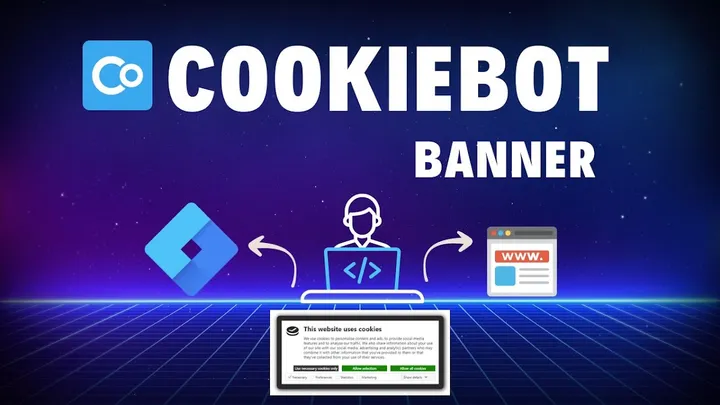
- Consent Mode with Cookiebot, for stores selling into the EU.
- Tracking a newsletter signup, the cheapest lead most stores never measure.
What good looks like after a rebuild
The GA4 purchase count lands within three to five percent of Shopify orders. Meta shows browser and server events for the same purchase, deduplicated. Every event that carries money has value, currency and items. Consent is passed to both containers. Changes to the theme do not silently kill a tag, because there is a test routine that catches it in a day instead of a quarter.
None of that is exotic. It is simply the part of tracking nobody enjoys doing, which is why it stays broken.
If you want a second pair of eyes on an account you inherited, I run a read-only audit of the whole stack: tracking packages start at $199. If you would rather talk it through first, a $19 15-minute call is usually enough to tell you whether the problem is the install or the event definition.
Want this set up properly in your own account? Fixed-price packages from $199, read-only audit first — or ask one question on a $19 call.